2026-06-12
TripShelf, a travel logbook
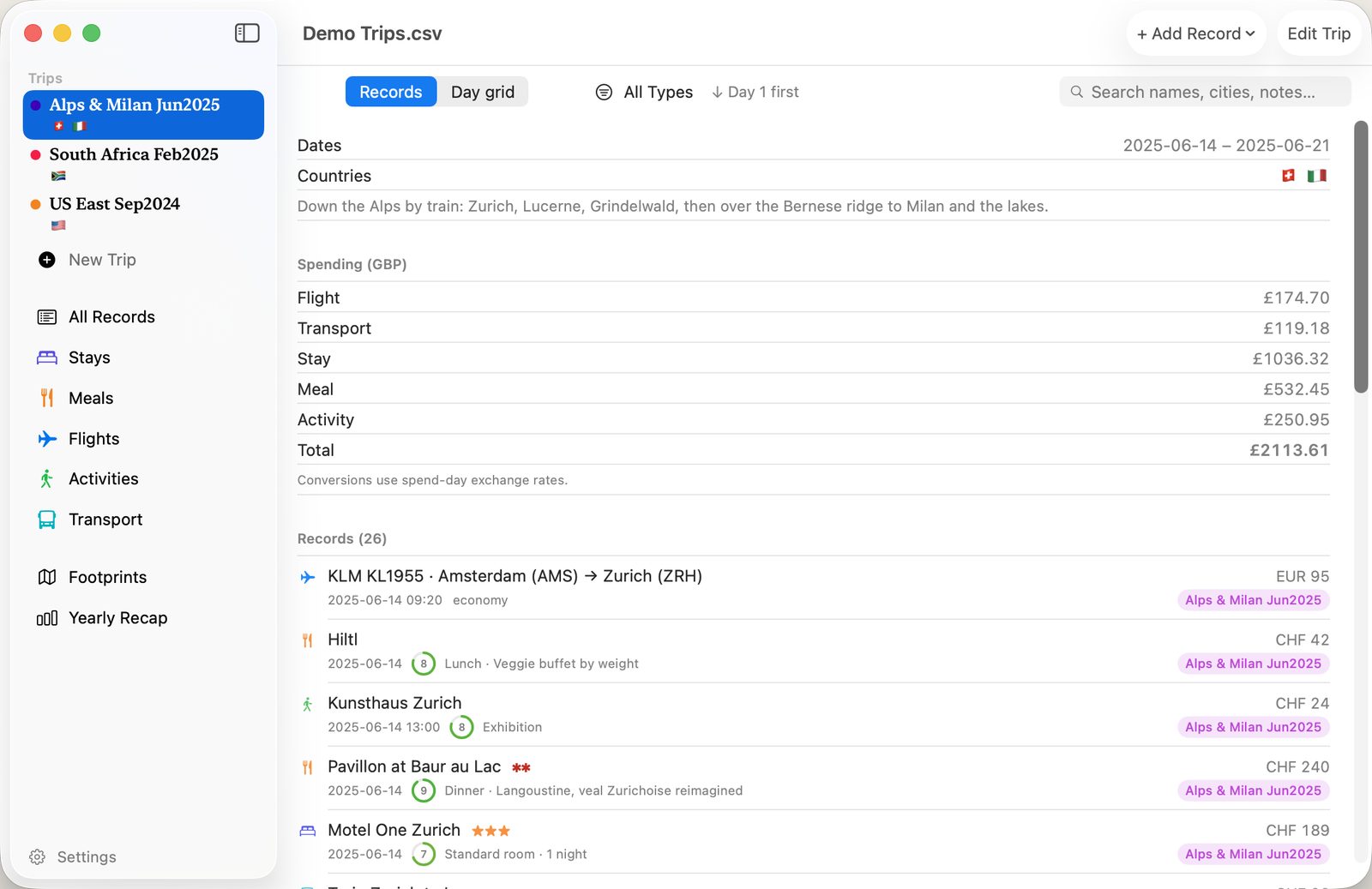
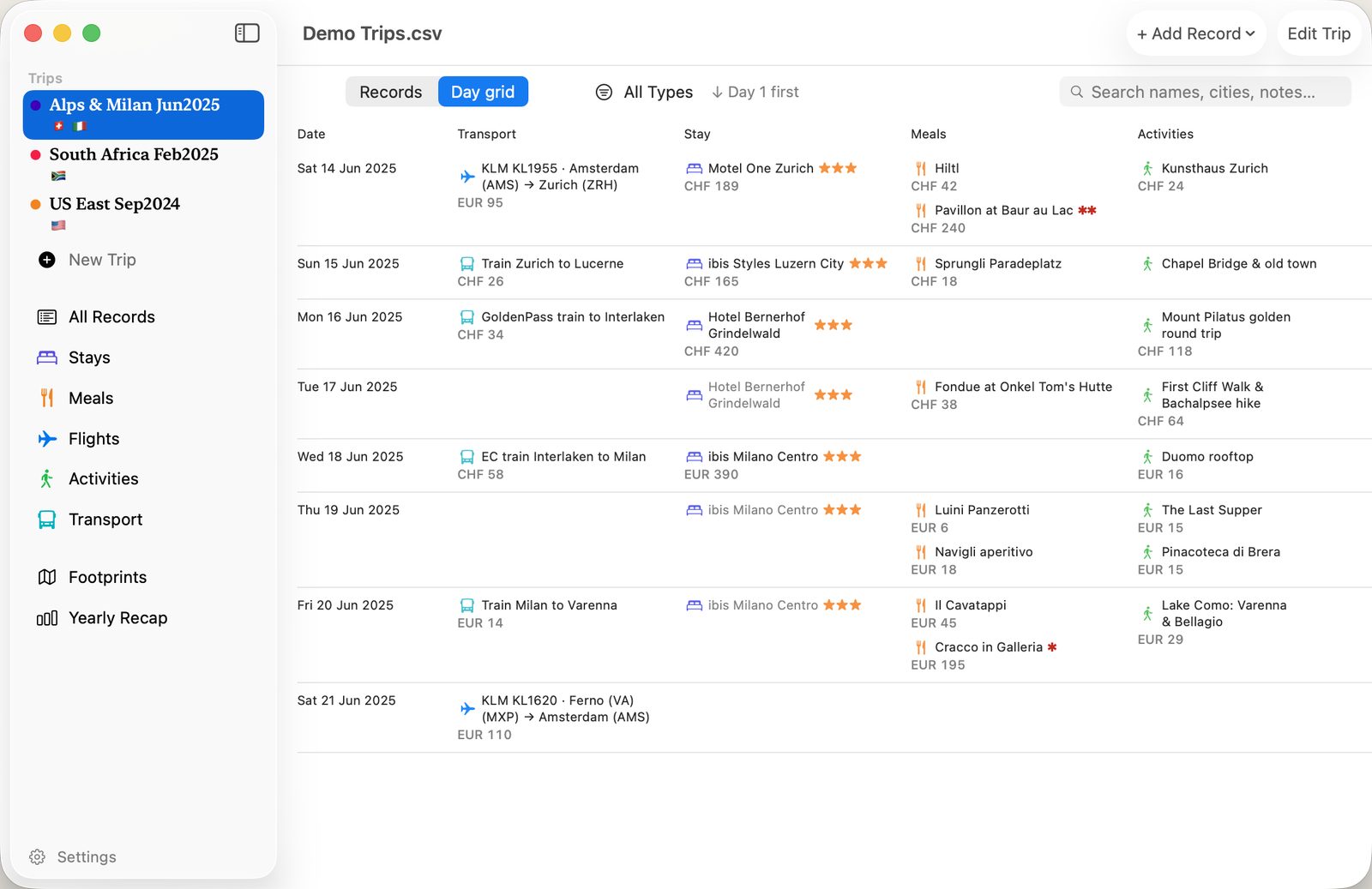
It's a log of where you've been: the flights, trains, hotels (or a friend's sofa), restaurants and activities, with the date, the place, what it cost, your own rating and your notes. Hotel stars and Michelin stars get their own fields, in case it was that sort of trip.
Every entry is saved into one file, and that file is the export. Really it's just a spreadsheet with a nice view on top, saved locally on your Mac or iPhone (or in your iCloud Drive), which you can open in Numbers, Microsoft Excel, or Google Sheets. You don't set up an account because there's no server.
| File | one CSV, opens in any spreadsheet viewer |
|---|---|
| Sync | your iCloud Drive |
| Runs on | Mac & iPhone |
| Status | v1.0 |
Data entry
I'm assuming you don't feel like typing much. So the app does the boring parts. Start typing "joe's pizza" and Apple Maps fills in the address and coordinates, and the place shows up as a pin over on your Footprints map. For flights you just give it the three-letter airport code and it works out the rest.
And if you can't even be bothered to type the hotel's name, a small AI model running locally on your iPhone or MacBook will read a screenshot of your booking and fill the record in for you. And of course that screenshot never gets uploaded to us. It stays where it is. You'll just need Apple Intelligence switched on.
Exchange rates
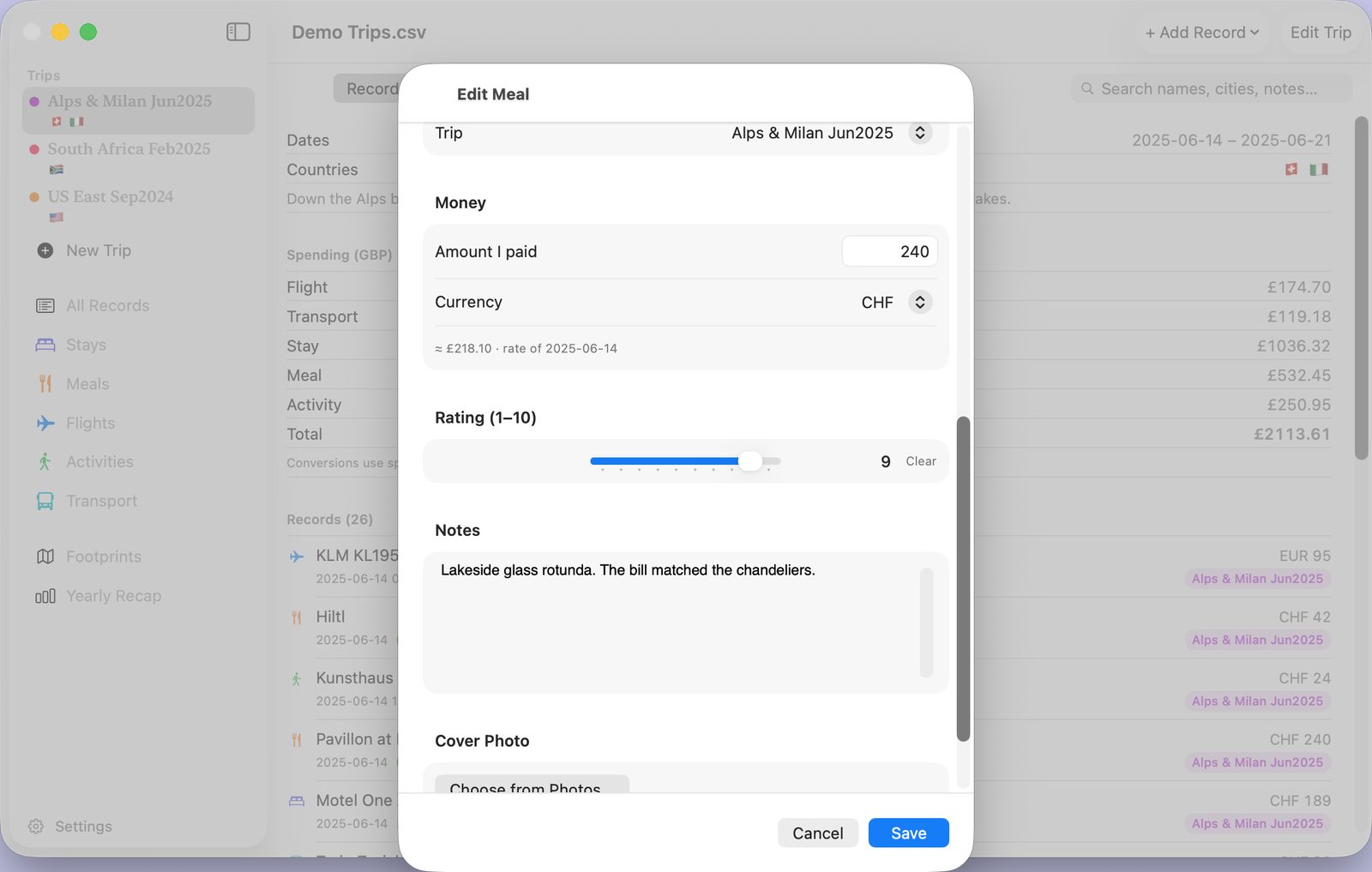
Money's the same idea. You like going everywhere but you'd rather not do exchange-rate maths, so you only ever enter the amount in whatever currency you actually paid. Add a date — even long after the trip — and TripShelf shows what that came to in your home currency at that day's rate, and totals it that way in Yearly Recap and Trip Spending.
The spreadsheet itself only ever stores what you really paid, in the real currency; the conversion is just arithmetic the app does out loud, so the file stays honest.